

Insights
Atlassian's usage-based pricing: Time to rethink Jira Automation
04
Sep
2026


Attachments are often the most important part of a business process.
A signed contract. A diagnostic log file. A customer screenshot. A compliance document. A PDF approval.
Yet in many Jira workflows, those files still need to be manually downloaded, re-uploaded, filtered, or moved between projects.
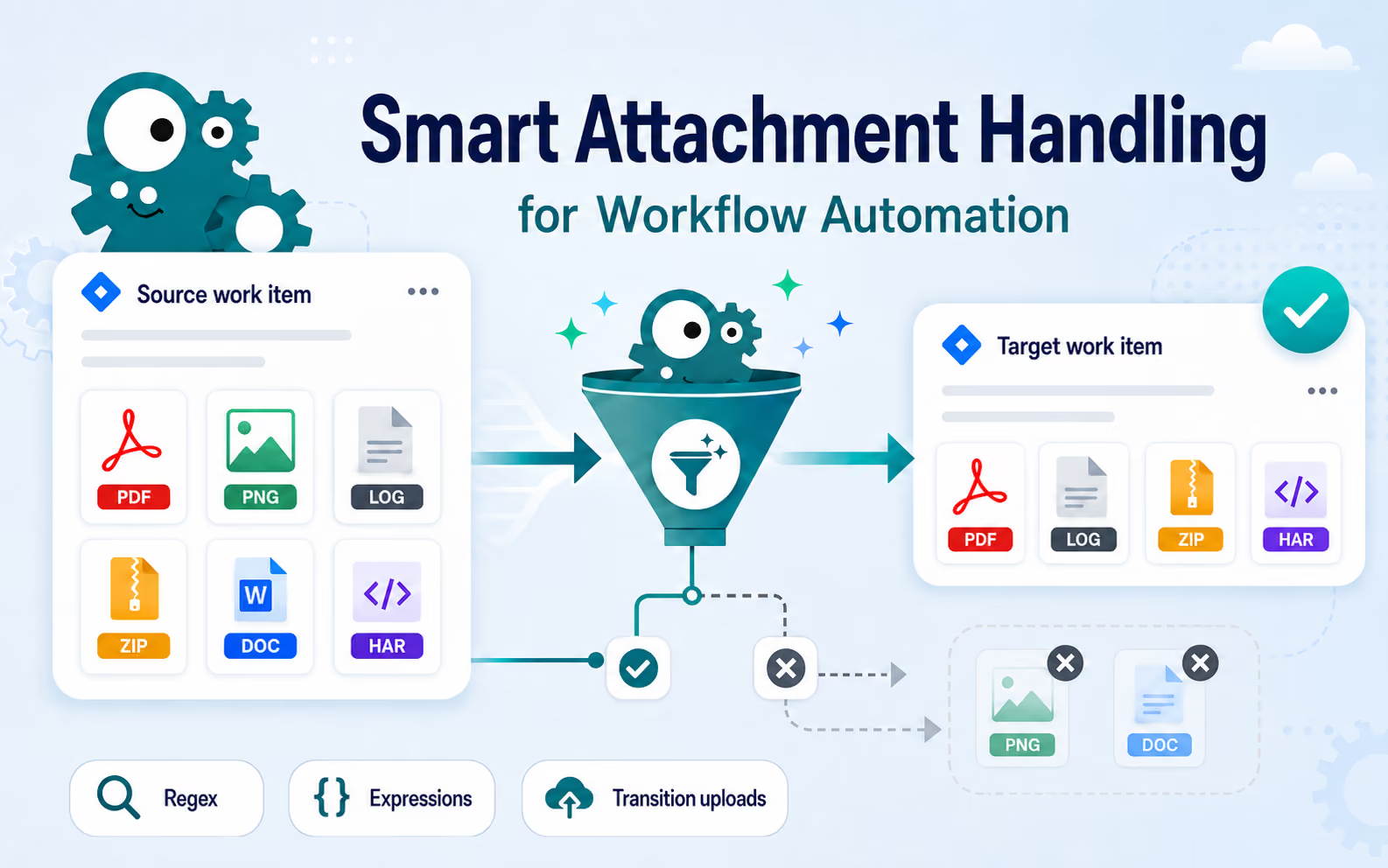
With Jira Workflow Toolbox Cloud, we introduced extended attachment support for work item creation actions — designed specifically for selective, intelligent attachment handling.
Because in real workflows, users rarely want all attachments.
They want the right ones.
The new configuration options allow administrators to define exactly which attachments should be copied when creating new work items.
Instead of a simple “copy everything” approach, JWT now supports multiple strategies for precise attachment selection:
This turns attachment handling from a basic utility into a highly configurable workflow capability.
A support team escalates critical incidents from Jira Service Management into an engineering project.
The original customer ticket may contain:
Engineering teams do not need every file.
They specifically need:
.log.zip.harfiles relevant for troubleshooting.
With the new regex-based filtering, administrators can automatically transfer only technical diagnostics to the newly created engineering work item.
For example:
.*\.log
.*\.zip
.*\.har
This keeps engineering tasks focused while eliminating manual attachment handling.
The result:
A procurement request enters a management approval workflow.
The original work item contains:
Management should only receive finalized approval documents.
Using parser expressions or file-type filtering, JWT can automatically attach only:
to the approval work item.
This creates cleaner approval processes while reducing the risk of sharing incomplete or internal-only files.
Instead of manually preparing approval packages, the workflow itself now controls which documents move forward.
An HR onboarding workflow includes a transition screen where HR uploads:
JWT can now specifically copy only attachments uploaded during that transition.
This is especially valuable in workflows where older attachments already exist on the work item, but only newly submitted documents should be forwarded to downstream teams.
For example:
The workflow becomes significantly more precise and context-aware.
The real strength of this feature is not attachment copying itself.
It is the ability to define which attachments belong to which process step.
That level of control matters in enterprise environments where:
JWT now allows administrators to automate those decisions directly inside the workflow configuration.
Not manually. Not externally. Not with additional apps.
Inside the workflow itself.
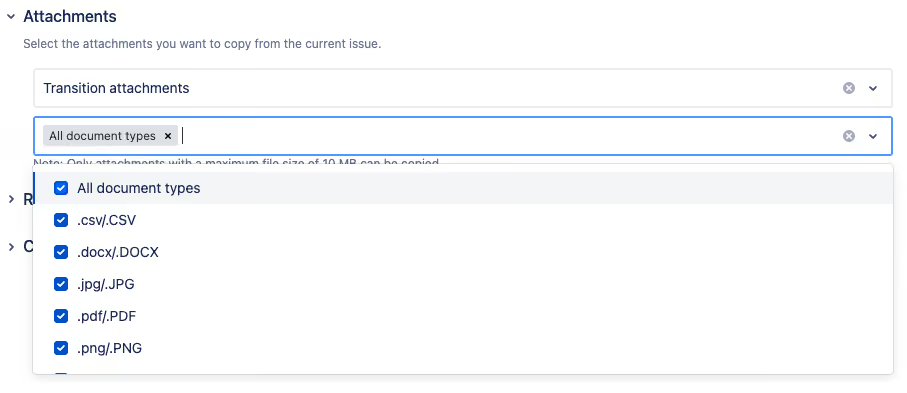
Select files by filename pattern:
Examples:
.*\.pdf
/.*\.png/i
incident-.*
Use JWT or Jira expressions for dynamic selection based on:
This enables highly advanced enterprise scenarios with contextual attachment routing.
Copy only attachments uploaded during the current transition.
Perfect for:
The real impact becomes obvious the moment a workflow creates a new work item and the correct files are already there automatically.
Not every attachment. Not clutter. Not outdated documents.
Exactly the files the next team actually needs.
That is where workflow automation stops feeling technical — and starts feeling operationally complete.
Das Komplettpaket an Tools für Jira Cloud, um Prozesse mühelos zu automatisieren - von einfachen Anforderungen bis hin zu hochkomplexen Geschäftsabläufen.
Wir sind immer auf der Suche nach talentierten Menschen, die Lust auf digitale Herausforderungen haben.
Deine Stelle ist nicht dabei? Meld dich trotzdem, wenn du denkst, dass du den Unterschied machen kannst!







.avif)









.avif)
.avif)


.avif)







.avif)






.jpeg)
![Last Log for Jira – Troubleshooting easier than ever [incl. Video]](https://cdn.prod.website-files.com/6400aa62efc52f275fa918d4/65aa7d8167dd440c0529c08e_Last%20Log%20for%20Jira_The%20key%20to%20troubleshooting%20in%20Jira.gif)










.jpg)











.avif)